How do the Telegram alerts work?
Connect your alert in Telegram
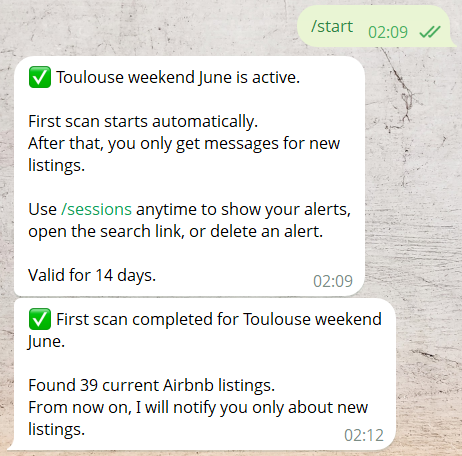
After clicking Open in Telegram, Telegram opens the Scanflowio bot.
Your personal 16-character alert code connects this Airbnb search to your Telegram chat.
You should quickly see that your alert is active. Within a few minutes, the first scan message should follow.
After setup, you do not need to keep Telegram open or check manually. Just wait. After the first scan, Scanflowio will message you only when new listings appear.
Manage your running alerts
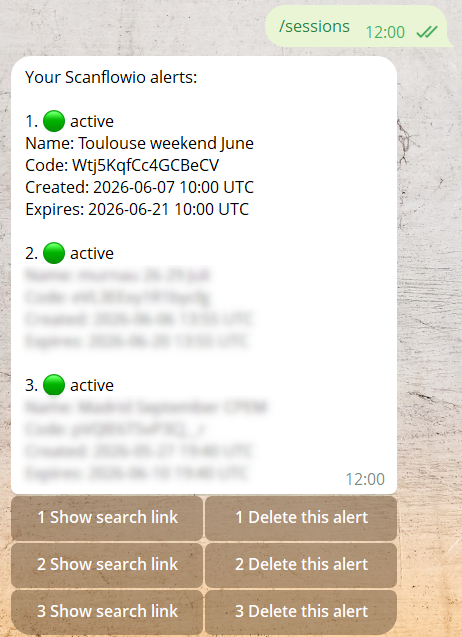
Type /sessions to show all alerts currently connected to your Telegram chat.
Each alert shows the name you chose, its individual 16-character code, the creation time, and the expiration time.
Use Show search link to see which Airbnb search link is used. Use Delete this alert when you no longer need it.
After deleting an alert, you will no longer receive notifications for that search.